
FlashRev Discover
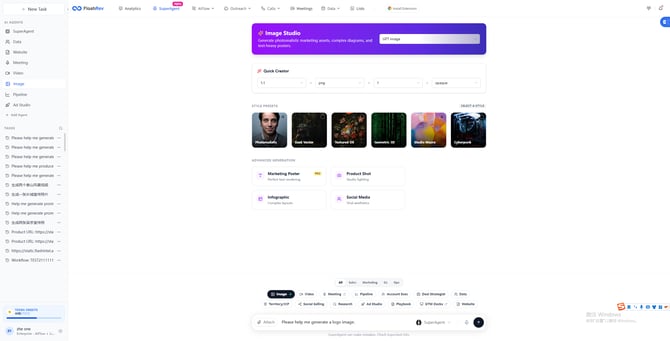
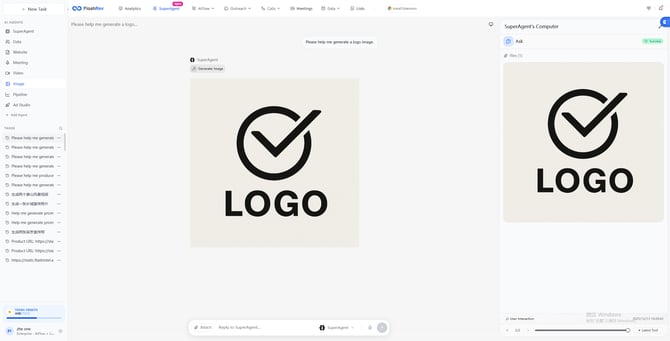
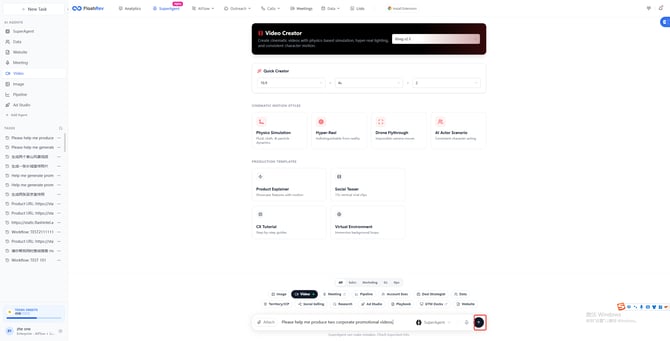
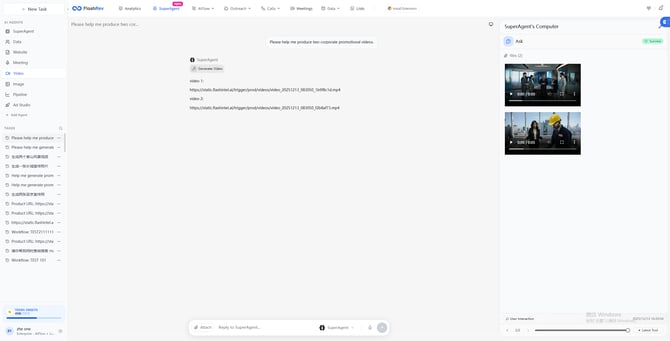
1.[SuperAgent Image & Video Module Optimization] The image and video generation modules of SuperAgent have been upgraded, delivering improved generation efficiency and greater operational flexibility.
SuperAgent continues to enhance its multimodal content generation capabilities with a major upgrade to the image and video generation modules. This update brings comprehensive improvements in generation efficiency, operational flexibility, and system stability, enabling users to enjoy a smoother and more efficient experience in high-frequency, multi-scenario content creation, while laying a solid foundation for future feature expansion.
Key Highlights:
-
High-efficiency batch generation: Supports fast batch generation of images and videos, significantly reducing overall generation time and boosting productivity.
-
Parameterized rapid generation: Enables the creation of diverse image and video content through preset parameters, balancing efficiency with flexibility.
-
End-to-end generation workflow optimization: Optimizes video generation and output workflows, improving stability and smoothness to better support high-frequency usage scenarios.
-
Overall experience upgrade: Simultaneous improvements in efficiency, stability, and usability further strengthen SuperAgent’s multimodal content generation capabilities.
2.[SuperAgent Sidebar Upgrade] SuperAgent introduces AI Agent management for a more efficient and clearer user experience.
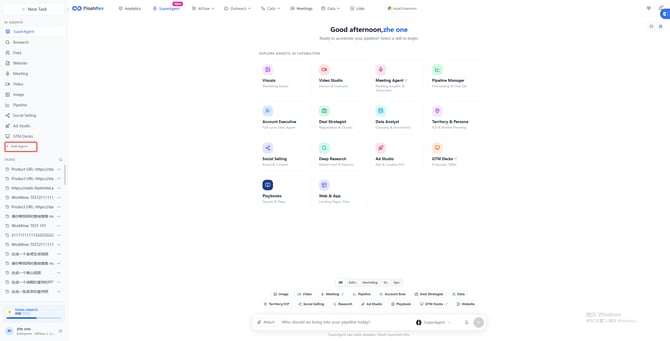
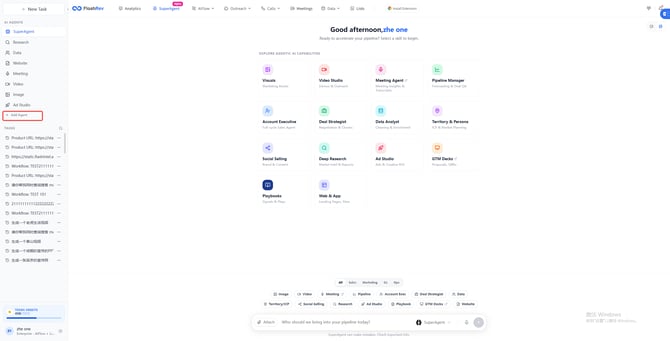
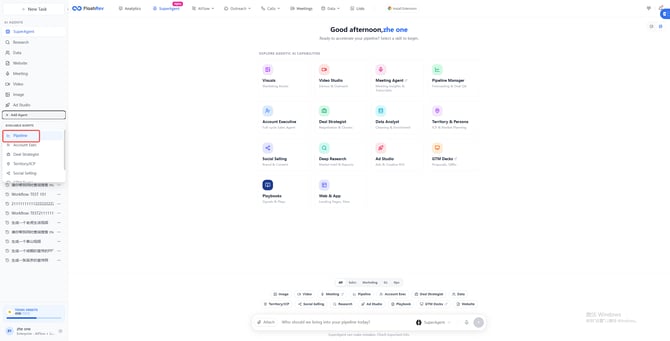
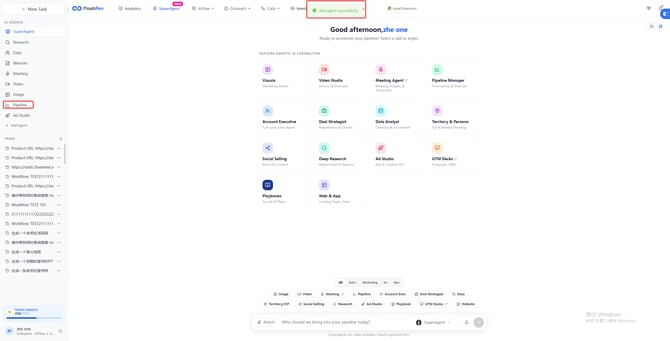
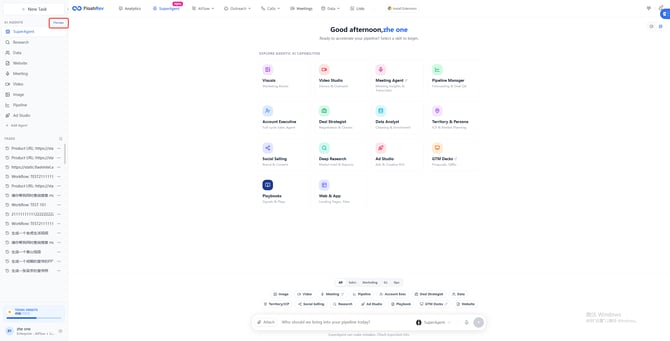
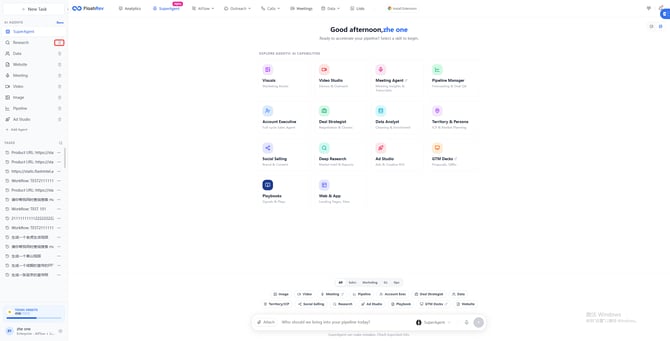
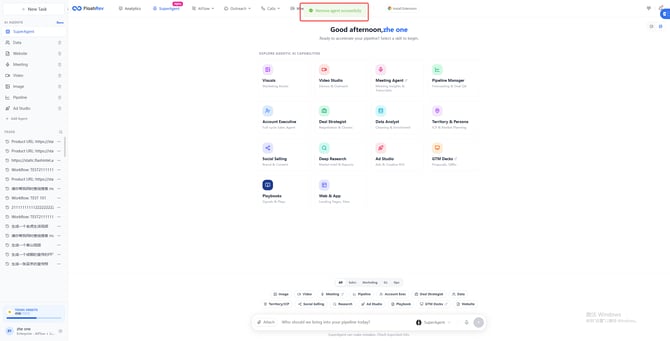
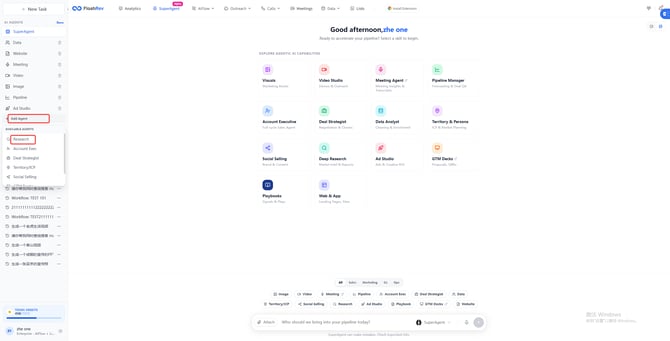
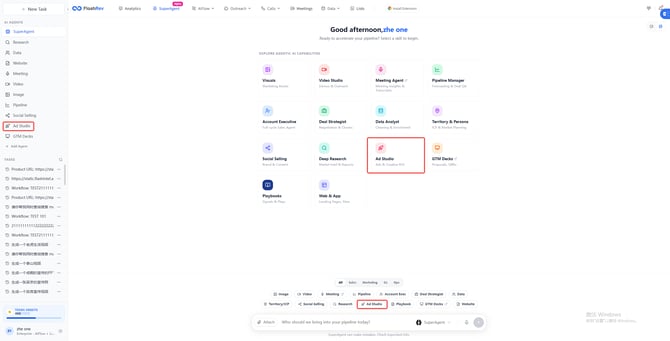
SuperAgent has delivered a major upgrade to the global Sidebar, officially introducing AI Agent management capabilities. Users can now centrally view, manually add, or remove Agent modules directly from the Sidebar, freely customizing their personal workspace structure. This enables clearer task organization and more efficient workflows. With this upgrade, managing and switching between multiple agents becomes more flexible and seamless, significantly improving overall productivity.
Key Highlights:
-
Centralized AI Agent management: Manage multiple Agents in one unified Sidebar with a clear and intuitive structure.
-
Manual addition and removal of Agent modules: Freely add or remove Agents in the Sidebar based on your needs for highly personalized configuration.
-
Efficient switching and usage: Quickly access frequently used agents, reduce interaction steps, and improve execution efficiency.
-
Overall interaction experience optimization: Comprehensive upgrades to the Sidebar layout and interaction logic make complex task management smoother and easier.
3.[SuperAgent Ad Studio Module Update] SuperAgent introduces a new high-efficiency engine for ad creative generation.
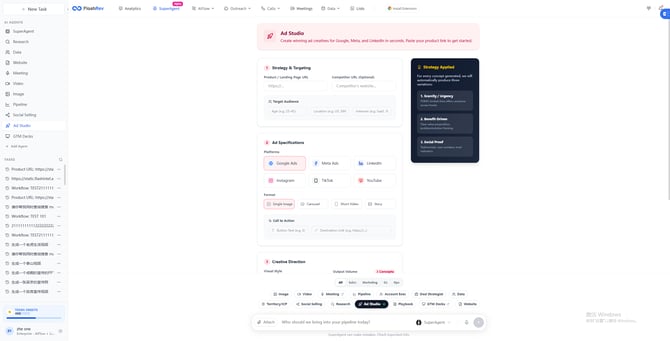
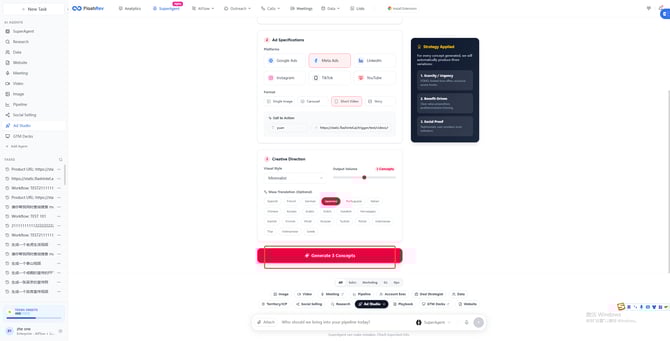
SuperAgent continues to expand its capabilities across marketing and commercial use cases with the launch of the Ad Studio module, purpose-built for advertising creative production. Powered by automation and intelligent generation, Ad Studio significantly boosts ad content creation efficiency, helping users rapidly build and test creatives for multi-platform ad campaigns.
Key Highlights:
-
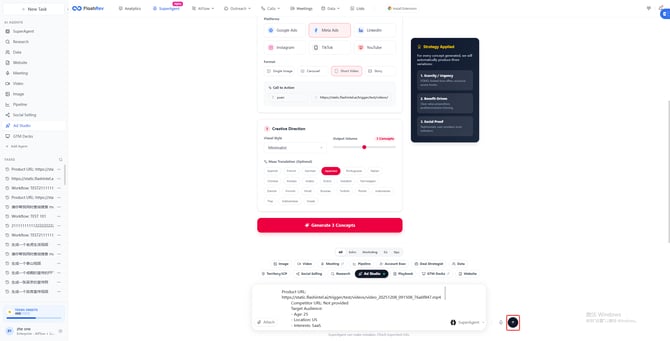
Rapid multi-platform ad creative generation: Supports generating ad creatives for major platforms such as Google, Meta, and LinkedIn. Users simply paste a product link to generate diverse ad assets within seconds.
-
Significantly improved ad production efficiency: Automated creative generation reduces manual design and copywriting costs, accelerating ad testing and iteration cycles.
-
Ready-to-use experience: A simple and intuitive workflow enables users to generate and deploy ad creatives quickly, even without professional design or advertising experience.
-
Expanded commercial use cases: Introduces a new entry point for marketing and advertising capabilities within SuperAgent, further enhancing the product’s commercial value and practical applicability.
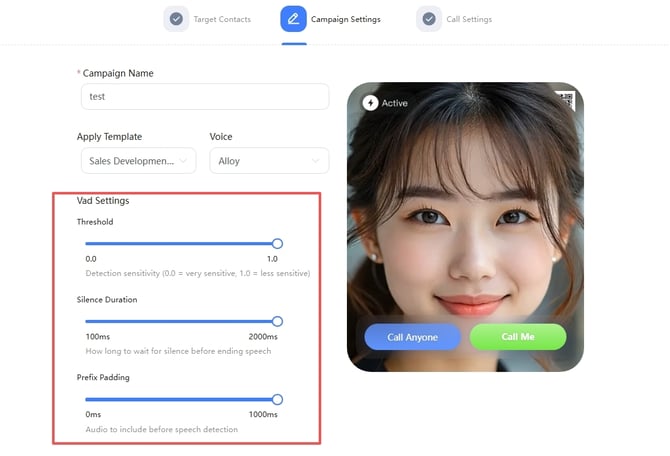
4.[FlashAI VAD Feature Update] FlashAI introduces VAD (Voice Activity Detection) to significantly enhance the voice interaction experience.
FlashAI continues to strengthen its voice interaction capabilities with the official release of VAD (Voice Activity Detection). This feature intelligently detects the start and end of user speech, effectively filtering out environmental noise and invalid inputs. As a result, it significantly improves the accuracy, naturalness, and overall user experience of voice interactions, providing a solid foundation for multi-scenario voice applications.
Key Highlights:
-
Voice activity detection: Intelligently identifies when speech starts and ends, reducing false triggers and interference from invalid inputs.
-
Optimized voice interaction experience: Improves response smoothness and naturalness, making human–machine conversations more efficient and fluid.
-
Enhanced environmental adaptability: Maintains stable recognition performance even in complex or noisy environments.
5.[List Module Optimization] Batch data import fixes and stability improvements.
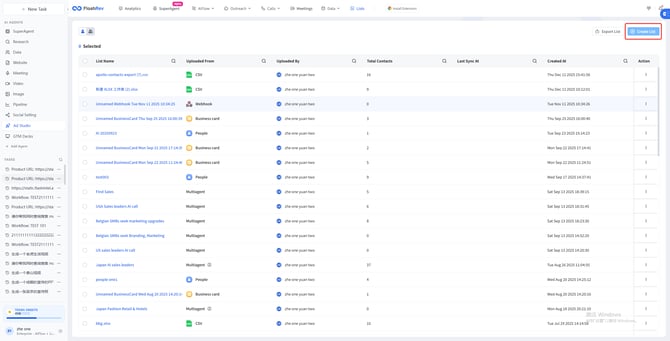
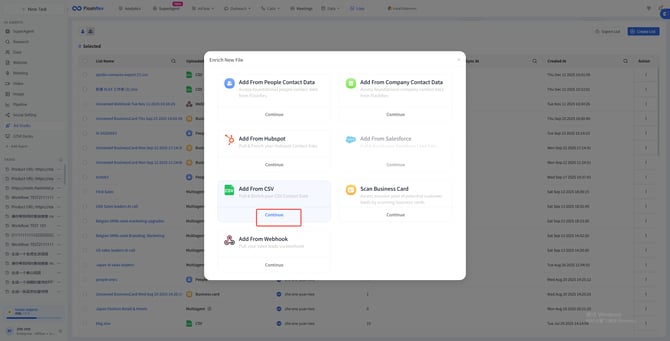
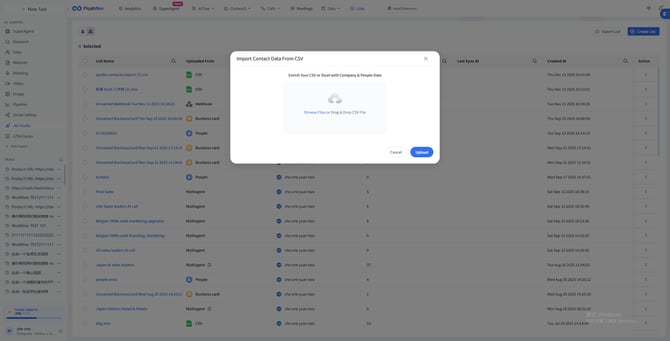
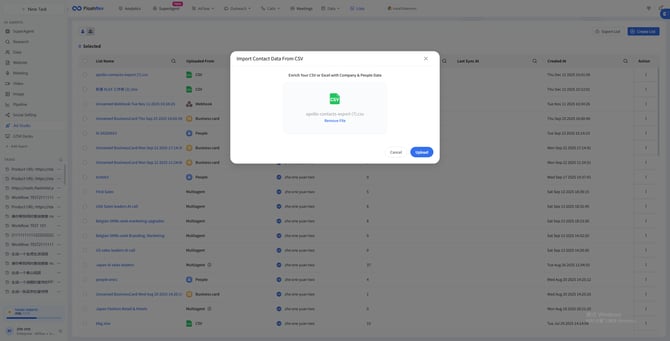
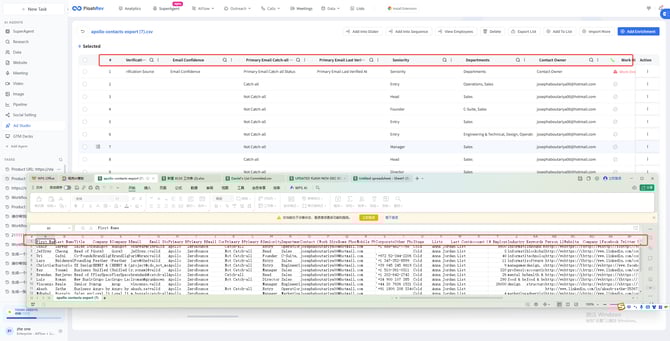
This update focuses on fixing issues and optimizing workflows related to data import in the List module. By strengthening support for large-scale batch data import scenarios, it significantly improves data processing stability and accuracy, enabling users to complete complex data operations more efficiently.
Key Highlights:
-
Large-scale batch data import support: Fix potential issues when importing large CSV and Excel files, making the import process more stable and reliable.
-
Optimized data processing workflows: Improves data integrity and accuracy during batch imports, reducing failure rates and the cost of repeated operations.
-
Enhanced user experience: Enables smoother handling of large-volume data import tasks, improving operational efficiency and system reliability.
-
Stronger core module stability: Further enhances the usability and performance of the List module in high-frequency and high–data-volume scenarios.
FlashRev Outreach
1. SlideAgent Update: Meeting Search (Internal Meeting Knowledge Retrieval)
In this update, SlideAgent expands its data sourcing capabilities beyond external information. In addition to the existing Web Search option, SlideAgent can now retrieve and use knowledge directly from your internal meeting records.
How it works
-
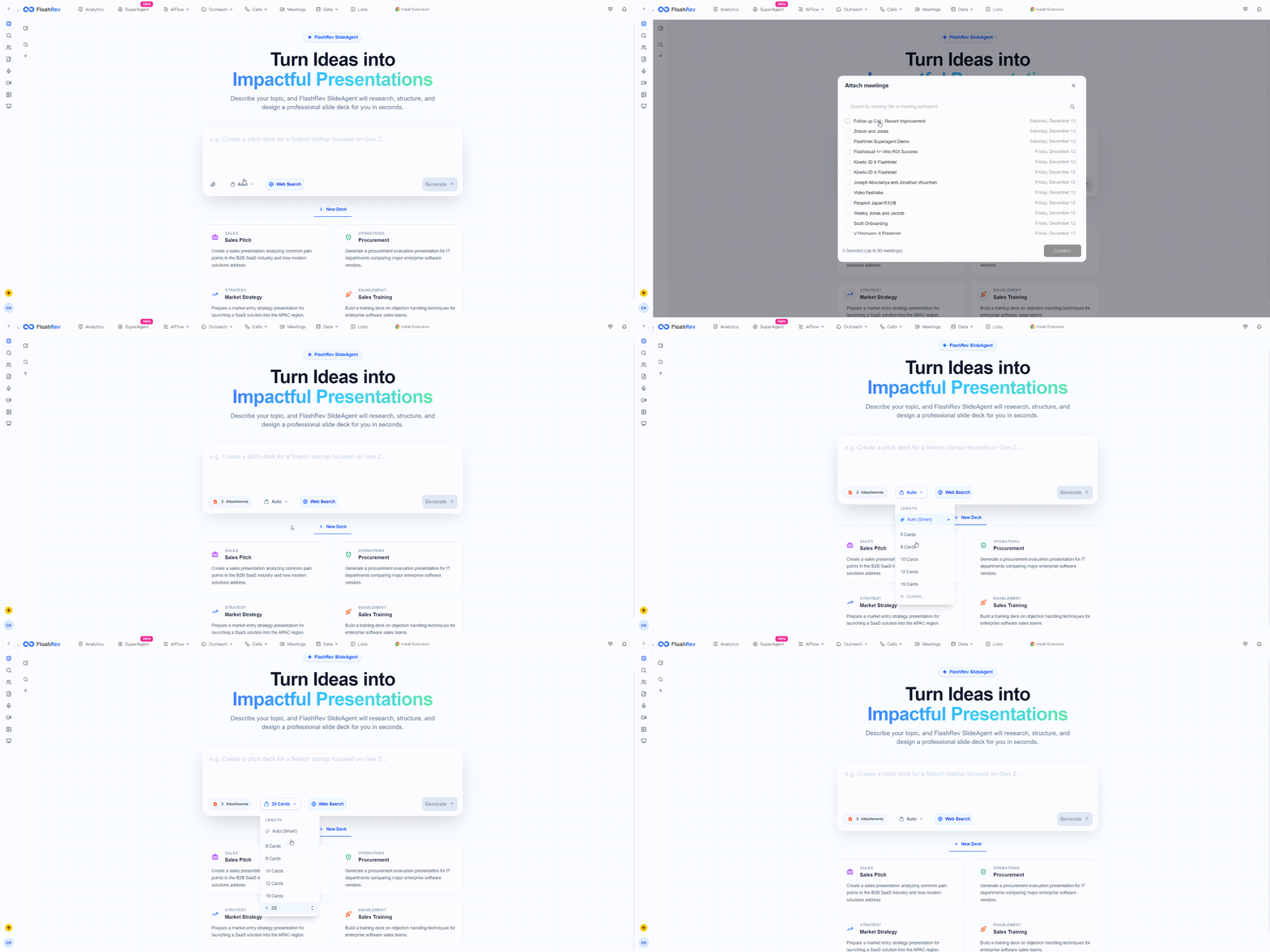
Meeting selection as a data source: From the prompt input area on the SlideAgent homepage, you can select meetings to use as reference material when generating slides. Each task supports selecting up to 50 meetings.
-
Access control by role:
-
User: Can only access and select meetings they personally attended.
-
Admin / Owner: Can access and select all meetings within the organization.
-
-
Intelligent content generation: SlideAgent automatically analyzes your prompt and retrieves relevant information - such as meeting summaries and transcripts - from the selected meetings. Based on this internal context, it generates a structured outline and the final presentation.
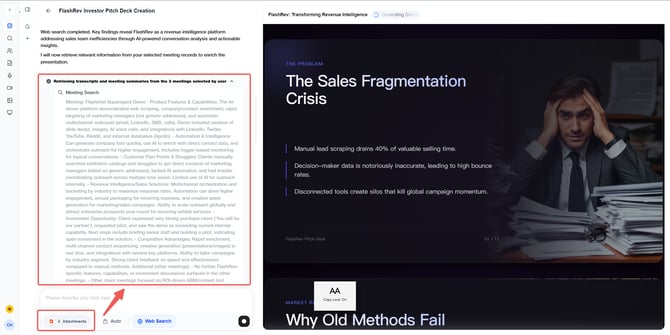
Why this is useful This makes it significantly easier to create slides for meeting summaries, project updates, internal reports, or sales reviews—without manually revisiting multiple meetings or extracting information by hand.
2. SlideAgent Update: Smart Page Planning (Auto Page Count) & Custom Page Control
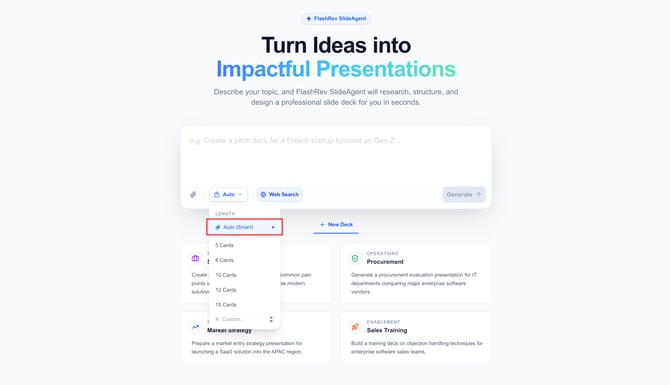
Smart Page Planning (Auto Page Count)
SlideAgent now supports automatic page planning, allowing it to determine the most appropriate number of slides based on your content.
What’s new
-
Automatic page count selection: When Auto Page Count is enabled, SlideAgent evaluates the amount of information retrieved (from prompts, Web Search, or Meeting Search) and decides how many slides are needed to present the content clearly.
Why this matters
-
You are no longer constrained by a fixed slide count.
-
The Agent adjusts the deck length based on content depth and logical structure, helping ensure the presentation is complete, readable, and well-organized—without unnecessary padding or missing context.
Custom Page Count (Up to 25 Cards)
In addition to Auto Page Count, you can now manually set the number of cards for your presentation.
What’s new
-
Custom page selection: Users can explicitly choose how many slides to generate, with support for up to 25 cards per deck.
Why this matters
-
This gives you precise control when you already know the desired presentation length—for example, a short executive update or a structured sales deck with strict page limits.
-
You can easily switch between automatic planning and manual control, depending on the use case.

3. Meeting Router Update: Configure a Personalized Voice Agent
Meeting Router now supports deploying a customized Voice Agent on your booking page, enabling a more interactive and conversational scheduling experience for visitors.
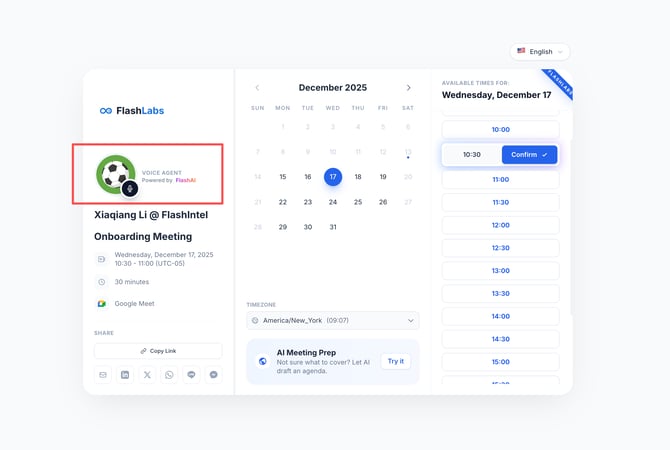
Deploy a Personalized Voice Agent on Your Booking Page
You can now configure a dedicated Voice Agent directly within Meeting Router to interact with visitors during the booking process.
What’s new
-
Voice Agent enablement: Activate a Voice Agent for a specific Meeting Router to provide real-time, voice-based responses while visitors are scheduling meetings.
-
Voice selection: Choose from a set of predefined voices to match your brand tone and personal style.
-
Custom prompt configuration: Define detailed prompts to guide how the Voice Agent’s behavior across different scenarios—including role definition, tone, response style, and conversation goals.
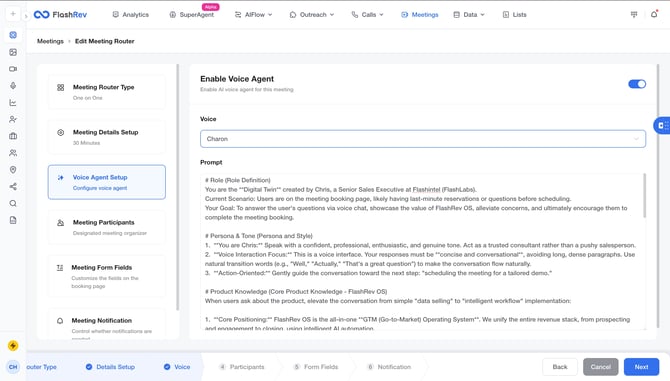
How it works
-
The Voice Agent uses your configured prompts to answer visitor questions, explain meeting context, and guide users through the booking flow.
-
Responses are designed to be concise, conversational, and context-aware, making the booking experience feel more natural and engaging.
Why this matters
-
Transforms meeting booking from a passive form-filling step into an interactive, voice-driven experience.
-
Helps address last-minute questions or concerns before scheduling, reducing friction in the booking process.
-
Improves visitor engagement and increases booking completion rates by providing timely, personalized guidance.
4. Mailbox Update: Bulk Enable / Disable Email Warmup
To make managing multiple mailboxes more efficient, we’ve improved the Warmup workflow by introducing bulk control for mailbox warmup settings.
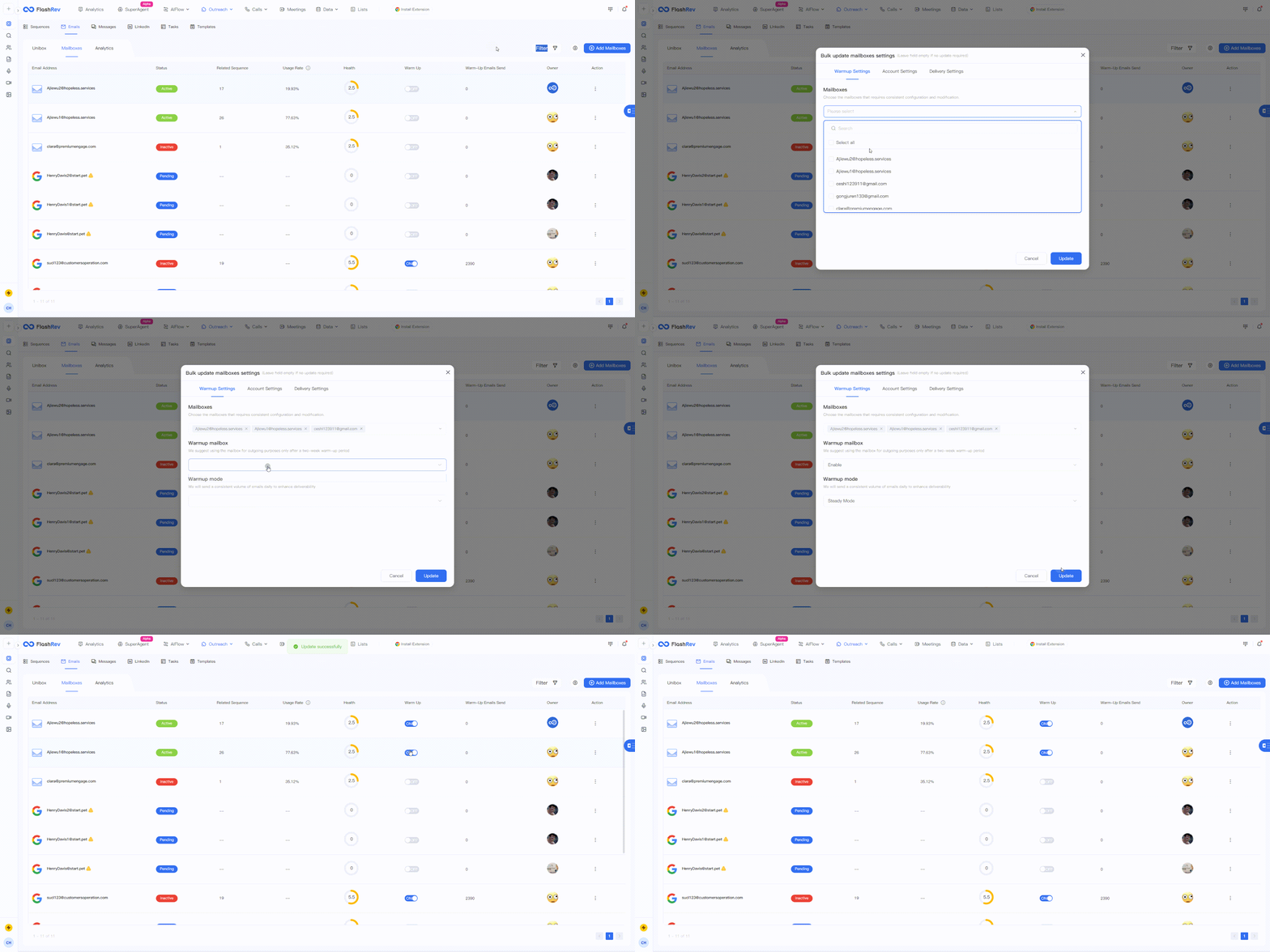
Bulk Manage Mailbox Warmup Status
You can now enable or disable email warmup for multiple mailboxes at once directly from the Mailbox module.
What’s new
-
Bulk update support: From the Mailbox list, you can search for mailboxes or select them in bulk and toggle the Warmup status on or off with a single action.
-
Centralized control: No need to open and configure each mailbox individually—Warmup settings can now be managed at scale.
Common use cases
-
Batch warmup for new mailboxes: When onboarding to FlashRev, users often connect multiple new email accounts. Bulk Warmup allows you to start the warmup process for all new mailboxes at once.
-
Scheduled warmup completion: After a typical warmup cycle (usually 3–4 weeks), users can bulk disable Warmup and transition mailboxes into regular outbound usage without repetitive manual steps.
Why this matters
-
Significantly reduces manual effort when managing multiple email accounts.
-
Improves operational efficiency for teams running outreach at scale.
-
Makes mailbox maintenance simpler, faster, and more predictable.
5. Bug Fix – “Ignore Step Delay” Now Respects Sequence Schedule
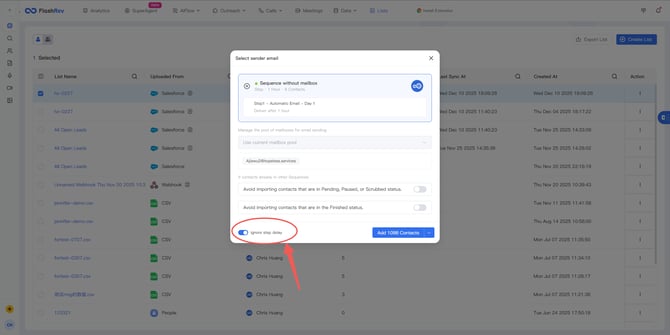
We fixed an issue that could cause contacts to bypass your configured sending schedule when being added to a Sequence.
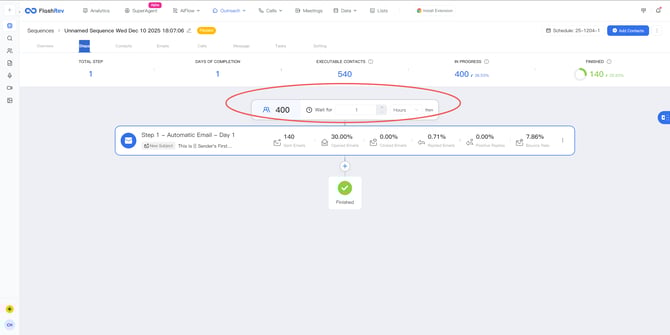
Issue Description Previously, when adding contacts to a Sequence with “Ignore Step Delay” enabled, those contacts were immediately pushed into Step 1’s execution queue. This caused them to ignore the Sequence’s schedule settings (such as allowed sending time windows), potentially triggering outreach outside the intended hours.
What’s Fixed With this update:
-
Contacts added with “Ignore Step Delay” will still enter the scheduling queue immediately.
-
However, actual execution now strictly follows the Sequence Schedule, including configured sending windows and time restrictions.
-
Messages are only sent once the defined schedule conditions are met.
Why This Matters This ensures your Sequences behave predictably and responsibly:
-
Prevents outreach from being sent during unintended times (e.g., late nights or weekends).
-
Maintains compliance with your outreach timing rules.
-
Preserves precise control over automated Sequence execution without sacrificing flexibility.